For years, GitHub Pages was the default answer for hosting your portfolio site. It's free, it connects directly to your repository, and if you're already on GitHub, it takes about ten minutes to set up. For a long time, it was genuinely the best option available.
This ceiling becomes clear, especially when you want to add features like a contact form.
The GitHub Pages problem
GitHub Pages is static. No server, no backend, no serverless functions. That sounds like a minor limitation until you actually try to build something useful with it.
Take creating a contact form. You have three options on a static site:
- List your email on the page — simple, but it becomes visible to scrapers, and you will very likely end up with unwanted emails.
- Use a third-party form service — Typeform, Formspree, Google Forms. They work, but they put someone else's branding on your portfolio, add a dependency you don't control, and some charge for basic features.
- Skip the form — many portfolios do. Rely on a LinkedIn link and hope.
None of these is great for a site that's supposed to demonstrate that you know how to build things.
The insight: Vercel Hobby is also free
This is the part most developers miss.
Vercel's Hobby tier — the free one — supports custom domains, automatic SSL, CI/CD directly from GitHub, and serverless functions. The annual cost is the same as GitHub Pages: just your domain registration, roughly $10–15 a year.
Same price. Fundamentally different capability.
Vercel has become one of those products that genuinely make you a better developer just by using it. Deployment previews on every pull request. Zero-config Next.js support. A dashboard that actually tells you what's happening.
The contact form trick
Here's how the private contact form works.
When someone fills out the form on your portfolio and hits send, here's what actually happens:
- The form submits to a Next.js Route Handler — a serverless function running on Vercel's servers, not in the browser.
- That function calls Resend — a developer-focused email API — using your API key, which is stored as a Vercel environment variable and never visible to anyone.
- Resend delivers the message to your personal inbox, with the sender's email address set as the replyTo header.
- You hit reply — it goes directly to the person who contacted you.
Your email address is never in the code. Never in the browser. Never visible to anyone filling out the form or inspecting the page source. The person contacting you has no idea where their message is going — they just see a success message.
Resend is another product worth calling out here. It was built by developers who were frustrated with the existing email API landscape — SendGrid, Mailgun, AWS SES — all of which require significant setup and have developer experiences that feel like they were designed in 2009. Resend just works. The free tier gives you 3,000 emails a month, the API is clean, you can add a custom domain, and the dashboard is actually useful. I use it across multiple projects now, personal and professional.
The numbers
- Next.js 16 — Framework — Free
- TypeScript — Type safety — Free
- Tailwind CSS 4 — Styling — Free
- Resend — Contact form emails — Free (3,000/month)
- Vercel Hobby — Hosting, SSL, CI/CD, serverless — Free
- Custom domain — Your URL — ~$10–15/year
Total: ~$12/year. The same as GitHub Pages. Except now you have a working contact form, and two genuinely good tools on your resume.
The resume angle
This benefit is often overlooked.
Vercel and Resend are both used in production at real companies. Knowing how to deploy on Vercel, configure environment variables, and integrate a transactional email API are real skills. They show up in job descriptions. They come up in interviews.
A GitHub Pages site shows you can follow a tutorial. A Vercel-deployed Next.js site with a working serverless contact form shows you can build things.
The template
Check out my free, open-source template and get started now: github.com/ColinRhys/vercel-portfolio-starter.
Fork it, edit one file (data/profile.ts), drop in your resume PDF, add two environment variables in Vercel (RESEND_API_KEY and CONTACT_EMAIL), and deploy. The whole thing takes under 30 minutes.
The PageSpeed scores on the template out of the box:
- Mobile: 98 Performance / 96 Accessibility / 100 Best Practices / 100 SEO
- Desktop: 100 Performance / 96 Accessibility / 100 Best Practices / 100 SEO
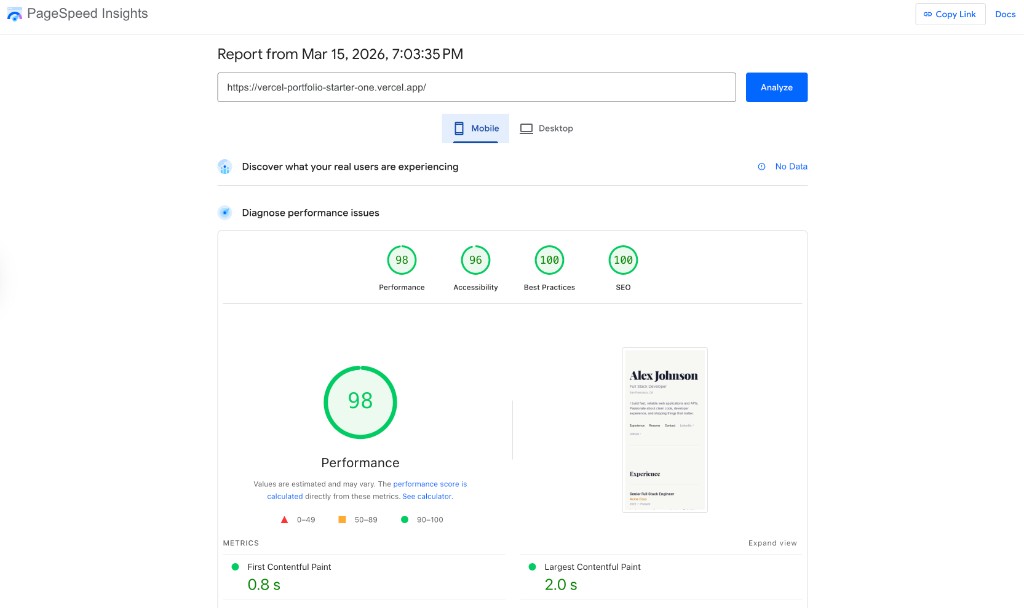
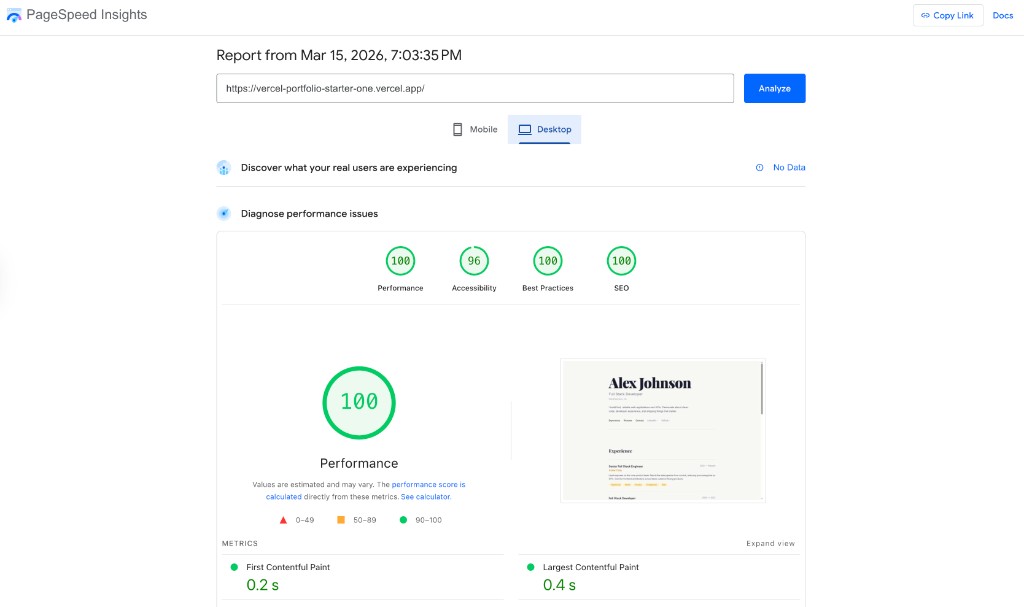
That's not an accident — it's a direct result of how it's built. Server-rendered HTML, no client-side data fetching, minimal JavaScript, fonts loaded via next/font instead of a render-blocking CDN request.
GitHub Pages got me started. But if you want your portfolio to truly stand out and showcase your skills, switch to Vercel and Resend today. Build something you're proud of — in under 30 minutes.